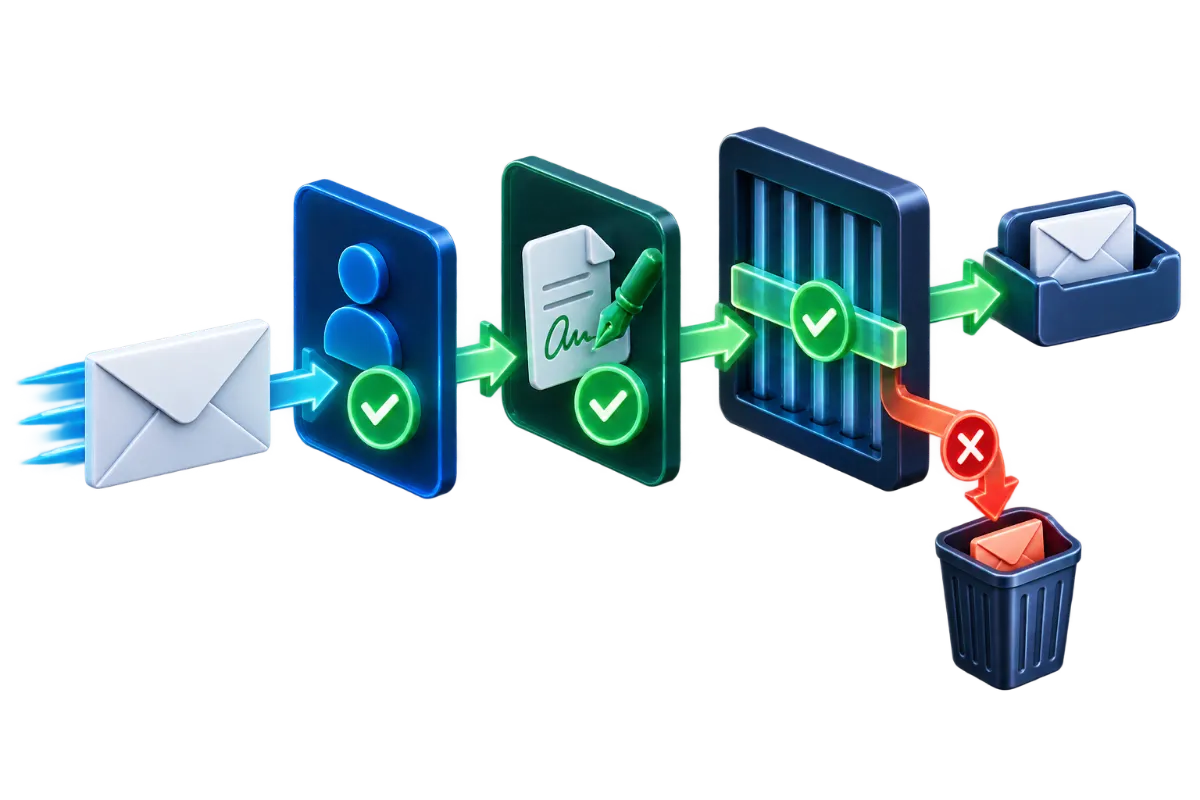
When legitimate business email starts landing in spam, the instinct is often to start rewriting the email itself — different subject lines, fewer exclamation points, less salesy language. That's rarely where the actual problem is. Spam filtering weighs several distinct signals, and the ones that most reliably tank deliverability for a legitimate business sender are technical and reputational, not stylistic. Working through them in the right order finds the actual cause far faster than guessing at content.
Start with authentication, not content
The first thing worth checking is whether SPF, DKIM and DMARC are correctly configured and actually passing for outgoing mail — see SPF, DKIM and DMARC Explained for Business Email for what each of those verifies. A failing or missing authentication record is one of the most common, and most fixable, reasons mail lands in spam or gets rejected outright, and it's also the easiest to overlook, since authentication can be correctly configured for months and then silently break the moment a sending source changes — a new email provider, a new transactional email service, a marketing platform added without updating SPF to include it.
Sender and IP reputation
Beyond authentication, receiving mail providers track a sending domain's and sending IP's reputation over time, built from signals like how often recipients mark messages as spam, how many sent messages bounce, and how consistent sending volume and patterns are. A domain or IP with a poor reputation history gets filtered more aggressively regardless of how well a specific message is authenticated. This is a particular risk on shared hosting environments where a mail server's IP address is shared across many customers' domains — if another customer on the same IP sends spam or gets compromised and starts sending abusive mail, every domain sharing that IP can see its deliverability affected by reputation damage it didn't cause itself. This is one of the practical tradeoffs of shared infrastructure worth weighing alongside the ones covered in Shared Hosting vs. VPS vs. Dedicated Servers.
Content and sending-pattern triggers
Content does matter, just less than it's often assumed to, and mostly at the extremes: a message that's almost entirely a single large image with little text, an unusually high density of links, or language patterns strongly associated with spam campaigns can push a borderline message over a filtering threshold. Sending pattern matters too — a sudden spike in volume from an account that normally sends a handful of messages a day is a pattern spam filters are specifically built to notice, even if every individual message is legitimate (a one-time newsletter blast to a large list from an account that doesn't normally send bulk mail is a common trigger for this). Engagement signals compound this further: if a large share of recipients never open a sender's messages, or consistently delete without reading, some receiving systems factor that pattern into future filtering decisions for that sender, independent of anything about a specific message's content. A sending history with reasonable engagement and steady, predictable volume is, in effect, part of what keeps a domain's reputation in good standing over time. This is also why a sudden, well-intentioned change — re-engaging a long-dormant subscriber list all at once, for instance — can backfire: a burst of mail to addresses that haven't opened anything from that sender in a long time tends to produce exactly the low-engagement signal that damages reputation, even though the intent behind it was entirely legitimate.
Rejected outright vs. landing in spam: a different signal
It's worth distinguishing between a message that bounces back as rejected and one that's delivered but filtered into spam, because they point at different causes. An outright rejection — a bounce message citing authentication failure or a blocklisted sending IP — is usually the receiving server refusing the message before accepting it at all, most often tied to a hard authentication failure or a severely damaged sender reputation. A message that's accepted and delivered, just filtered into the spam folder rather than the inbox, is a softer signal: it suggests the message passed enough checks to be accepted but scored poorly enough on reputation or content signals to be routed to spam rather than the inbox. The second case is usually what SPF/DKIM/DMARC misconfiguration short of a hard DMARC reject policy actually produces — a soft failure that affects filtering decisions rather than an outright block. Knowing which of the two is happening narrows down where to look: rejections point hardest at authentication and blocklisting, while spam-folder placement with no bounce at all points more toward reputation and content signals.
A realistic scenario: deliverability breaks after a migration
A business migrates its website and email to new hosting over a weekend. The following week, customers start mentioning they never received order confirmations or replies. Working through the likely causes in order: authentication is checked first, and it turns out the SPF record still only lists the old mail server's IP — the new server's IP isn't included, so every outgoing message is failing SPF. That alone is often enough to explain the whole problem, but it's worth also checking whether the new server's IP has any prior reputation history (a newly provisioned shared IP might be clean, but a reused one with a prior tenant's spam history can carry that baggage forward), and confirming DKIM is signing with the new server's key rather than referencing keys that no longer match. In most migration-triggered cases, the SPF gap found first is the entire explanation — the lesson being that any hosting or provider migration needs "update SPF (and DKIM) for the new sending source" as an explicit step, not an afterthought discovered only once customers start mentioning missing replies. The same gap applies to DNS more broadly whenever a migration touches mail routing; see DNS Records, Nameservers and Resolution for how MX and other mail-related records fit into that wider sequence.
A troubleshooting workflow, in order
- Verify SPF includes every current sending source, and that it's passing on recent outgoing messages (most providers offer a way to inspect message headers for authentication results).
- Verify DKIM is actively signing and passing, not just published in DNS.
- Verify DMARC alignment is passing, and check DMARC aggregate reports for unexpected failures.
- Check the sending IP against public blacklists, which several free lookup tools support, to rule out reputation damage from prior use of that IP.
- Review recent sending volume and pattern for anything that changed — a new bulk send, a new automated workflow triggering more email than usual.
- Only after the above are ruled out, review message content for the extremes mentioned above.
Keeping deliverability stable going forward
Most deliverability problems that look mysterious in the moment trace back to one specific change that wasn't fully accounted for — a new sending source, a migration, a sudden volume change — which means the most effective prevention is treating authentication records as something that gets updated deliberately every time a sending source changes, not something configured once and forgotten. Monitoring DMARC aggregate reports periodically, even when nothing seems wrong, catches unauthorized use of a domain or a quietly broken configuration well before a customer has to mention it first. It's also worth keeping a simple written record of every system authorized to send on the domain's behalf — most deliverability breaks after a change trace back to a sending source nobody remembered to add to that list in the first place, and a list that only exists in someone's memory doesn't survive staff turnover or time.