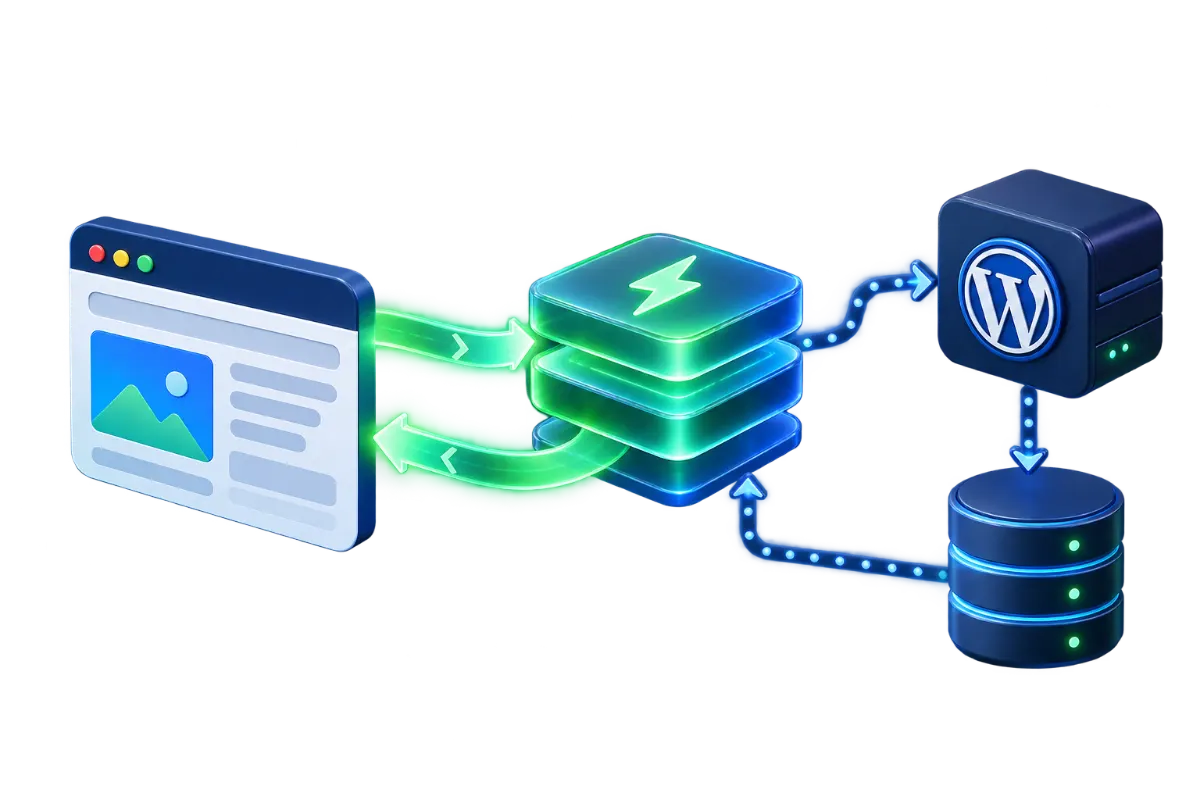
“WordPress hosting” isn't a separate hosting technology — under the surface it's usually the same shared or VPS infrastructure described in Shared Hosting vs. VPS vs. Dedicated Servers, configured in advance with a specific set of choices tuned for running WordPress well. Standard hosting gives a blank environment capable of running WordPress (or anything else); WordPress hosting pre-makes several of those configuration decisions for you. Whether that's an advantage depends entirely on whether those pre-made decisions match what the site actually needs.
What's actually configured differently
On standard hosting, running WordPress well is achievable, but every piece of the stack — caching, PHP configuration, update management, backups — is something the account holder sets up and maintains themselves, using the same general-purpose tools available for any PHP application. WordPress hosting plans instead arrive with WordPress-specific choices already made at the server level: a caching layer tuned for WordPress's request patterns, PHP settings adjusted for typical WordPress resource use, and often management conveniences (one-click staging, automatic core updates) built directly into the hosting dashboard rather than left to a plugin or manual process.
Pre-configured caching layers
WordPress generates most pages dynamically on each request by default — querying the database, assembling the page from the theme and content — which is more server work per visit than serving a static file. A WordPress-tuned caching layer, configured at the server level rather than through a plugin alone, stores a rendered version of a page and serves that directly for repeat requests, which is both faster for the visitor and lighter on server resources. On standard hosting, achieving the same result generally means installing and correctly configuring a caching plugin yourself, which works perfectly well but is a task someone has to actually do and keep working through theme and plugin changes, rather than something already running by default.
Auto-updates and staging environments
Many WordPress hosting plans include automatic core (and sometimes plugin) updates, plus a one-click staging copy of the site for testing a change before it touches the live version. Both reduce a specific kind of operational risk: falling behind on updates (a real security exposure, covered in cPanel Security) and pushing an untested change straight to production. Standard hosting can do both of these too, but it requires either a plugin-based solution or a manually maintained staging setup — available, but not already there by default the way it typically is on a WordPress-specific plan.
WordPress-specific server tuning
Beyond caching, WordPress hosting plans often tune PHP worker allocation (how many simultaneous PHP processes the server will run for the site, directly affecting how many concurrent visitors it can serve without queuing requests) and sometimes include a persistent object cache (storing database query results in memory rather than re-querying on every request) as a default rather than an opt-in extra. These are the kind of settings that matter more as traffic grows — a low-traffic brochure site rarely notices the difference, while a WordPress site running a busy WooCommerce store generates enough database load that this tuning becomes genuinely consequential for how the site performs under real traffic, a topic covered in WordPress-specific terms in How to Speed Up a WordPress Website Without Breaking It.
A worked example: a busy store vs. a five-page brochure site
Two businesses illustrate how differently this choice plays out in practice. The first runs a WooCommerce store with a few hundred daily visitors browsing and checking out — every product page and cart update is a dynamic request hitting the database, which is exactly the load pattern WordPress-tuned PHP worker allocation and object caching are built to absorb. On standard hosting sized without that in mind, this store can hit resource limits during traffic spikes (a sale, a marketing email send) that a WordPress-optimized plan's tuning would have accommodated by default. The second business runs a five-page brochure site that rarely changes — low traffic, almost entirely cacheable content, no logged-in activity to speak of. For this second site, the pre-configured WordPress tuning solves a problem that barely exists; a basic shared hosting plan with simple page caching handles it without strain, and the extra cost or constraints of a WordPress-specific plan buy very little this particular site would ever notice.
What standard hosting gives up, and what it gives back
The tradeoff runs in both directions. Standard hosting gives up the pre-configured conveniences above — they're achievable, but someone has to set them up and keep them working. What it gives back is flexibility: a server not pre-tuned specifically around WordPress's needs is equally well suited to running other applications alongside or instead of it, without fighting configuration choices made for a different kind of software. A WordPress-optimized plan that aggressively caches dynamic PHP responses by default, for instance, can need adjustment to run a second, non-WordPress application cleanly on the same account, since that caching behavior was built around WordPress's specific patterns, not general-purpose use.
When the managed convenience is worth it
A single-site business without a dedicated technical person managing the server benefits most clearly from the pre-configured path — the caching, update management and tuning decisions a WordPress hosting plan makes in advance are exactly the decisions that would otherwise need someone's deliberate attention, and getting them right by default removes a real, recurring task from the list of things that can be neglected. The same applies to a growing WooCommerce store, where the server-level tuning described above starts to matter in ways a low-traffic site wouldn't notice.
When standard hosting makes more sense
A technically capable team running several different applications on the same infrastructure — not just WordPress — generally gets more value from standard hosting configured deliberately for their actual mix of software, rather than a WordPress-specific environment that optimizes for one application at the expense of general flexibility. The same applies to a team with specific, non-default server requirements (a particular caching strategy, a non-standard PHP configuration, software alongside WordPress that needs its own tuning) that a WordPress-optimized environment's defaults might actively work against rather than support.
Moving between the two later
Starting on one path doesn't permanently lock a site out of the other — a site that outgrows standard hosting's manual setup can move to a WordPress-optimized plan, and a WordPress-specific plan whose defaults start conflicting with a second application can move to standard hosting configured deliberately instead. That move is a real migration, not a settings toggle (see Website Migration Checklist for the general process), so it's worth weighing as a real cost of guessing wrong initially, not a free option to defer the decision indefinitely — but it's also not a reason to treat the original choice as irreversible or higher-stakes than it actually is.
Working out which one you need
For a single WordPress site with no one specifically responsible for server administration, the pre-configured path removes real, recurring work rather than just deferring it — on standard hosting, that work still has to happen, it just needs an owner. A team running several applications deliberately, with the capacity to configure each on its own terms, is better served by standard hosting's blank slate than by defaults tuned around WordPress alone — see How Much Hosting Does a Business Website Need? for the resource-sizing question this sits alongside either way. One quick check settles most of the uncertainty: ask who currently owns caching, updates and PHP tuning on the site today — if the honest answer is no one, that's the clearest sign a managed plan is worth the switch.